COMPANY STAND ON THE EVENT APP - IMPORTANT INFORMATION
On the above you will find a step by step explanation of the event app and how to set-up everything in order to make sure you can take full advantage of the app on the event days.
- The platform access email will be sent prior the event - 8th March. Please submit the exhibitor badges form in order to provide the access platform.
On the access email - from Swapcard, click ‘Let’s get started’ and it will direct you the event platform – please create a password.
Please ensure you are using either the Chrome or Firefox web browser and enter the platform outside of a VPN. Some organisations IT requirements prevent access to certain platforms so please check your permissions and use a personal device if required.
What you can find on the guide:
- Access the event app –login – page 3
- How login and create your password.
- Available features –content features – page 6
- How to edit your profile
- Access Exhibitor Centre – page 9
- Add a video/image
- Add a background image
- Add your logo, profile, contacts and
- documents
- Add an advert with an hyperlink
- Available features –networking features– page 15
- How to network
- How to schedule a meeting
- Shared contacts and export
- Getting messages as an exhibitor
- Some suggestions – page 26
- Conference sessions –attending sessions – page 27
- How to access, follow and interact on the live sessions
At the end of the event, you will receive the data report with the details from those that have visited your page, view your ad and documents.
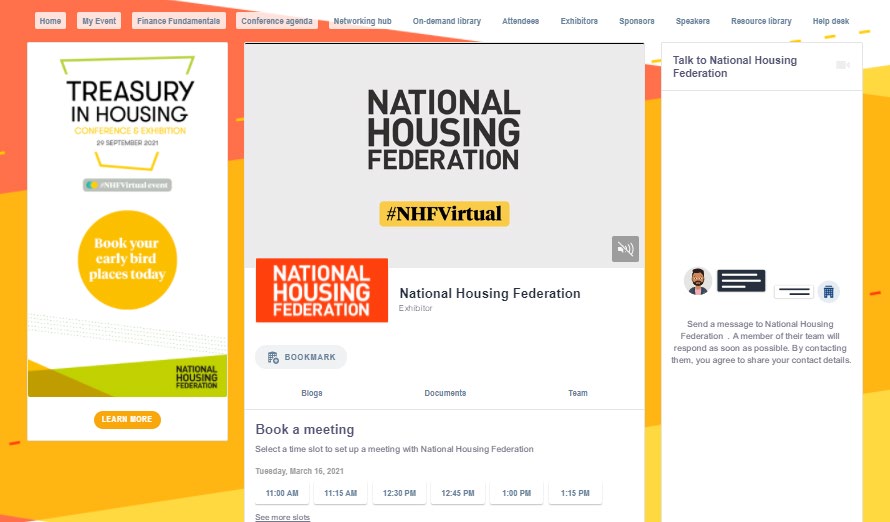
Example of app page: